I remember sitting in my tiny studio apartment during my first year on Wall Street, staring at a screen while my heart hammered against my ribs. I had just realized that a single lapse in digital security could wipe out more than just a single meal’s budget—it could jeopardize my entire professional reputation. Most people will tell you that cybersecurity is this terrifying, high-tech labyrinth that requires a computer science degree to navigate, but that’s a total myth. Honestly, learning how to set up two factor authentication shouldn’t feel like trying to master a complicated soufflé without a recipe; it’s actually one of the most straightforward ways to protect your hard-earned assets.
I’m not here to bore you with technical jargon or sell you on some overpriced, “premium” security suite you don’t actually need. Instead, I’m going to give you my no-nonsense, kitchen-tested guide to locking down your digital life. Think of this as the essential prep work before you start cooking; once we get these basics down, you can focus on building your wealth and your career with total peace of mind. Let’s get your accounts perfectly seasoned and secured.
Table of Contents
- Comparing Authenticator App vs Sms Codes for Better Flavor
- The Biometric Authentication Benefits for a Seamless Experience
- My Top 5 Pro-Tips for a Secure Financial Kitchen
- The Secret Sauce to Your Digital Security
- The Secret Seasoning of Digital Security
- Serving Up Your Digital Security
- Frequently Asked Questions
Comparing Authenticator App vs Sms Codes for Better Flavor

Now, let’s talk about the ingredients. When you’re looking at different multi-factor authentication methods, it’s a bit like choosing between a pre-made sauce and a slow-simmered reduction. SMS codes are that convenient, pre-made sauce; they’re easy to grab and they get the job done. You get a quick text, punch in the numbers, and you’re ready to eat. But just like a cheap jarred sauce, it has its vulnerabilities. If someone manages to hijack your phone number through a SIM swap, they’ve essentially stolen your recipe right out of your kitchen.
If you want the gourmet experience, you’re going to want to go with an authenticator app. When weighing authenticator app vs sms codes, the app is clearly the premium choice for securing online accounts. It generates codes locally on your device, meaning there’s no signal required and no way for a hacker to intercept a text message mid-air. It’s the difference between a quick snack and a perfectly balanced meal. Just a heads-up, though: always save your backup codes for 2fa in a safe place, or you might find yourself locked out of your own pantry!
The Biometric Authentication Benefits for a Seamless Experience
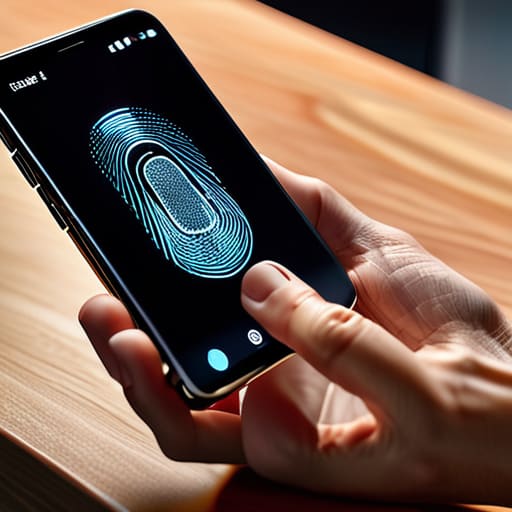
Now, if you’re looking for the ultimate “fast food” equivalent of security—meaning something that’s incredibly quick but still hits all the right notes—we need to talk about biometrics. Think of biometric authentication benefits as the sous-chef of your digital kitchen; they’re already there, ready to work at a moment’s notice without you having to hunt for ingredients. Whether it’s a quick fingerprint scan or a glance via Face ID, using your unique biological traits makes securing online accounts feel less like a chore and more like a seamless part of your daily routine.
The beauty of this method lies in its sheer efficiency. When you’re juggling a busy career and trying to keep your budget on track, the last thing you want is to be fumbling with a keypad every time you check your banking app. Biometrics provide a high-end, frictionless experience that bridges the gap between top-tier security and convenience. It’s the culinary equivalent of a perfectly emulsified sauce—smooth, integrated, and absolutely essential for a polished finish. By adding this layer, you’re ensuring your financial life stays protected without ever breaking your stride.
My Top 5 Pro-Tips for a Secure Financial Kitchen
- Don’t leave your backup codes in the pantry; think of them as your emergency spice stash. Print them out or store them in a secure, offline location so if you lose access to your primary device, you aren’t left staring at a blank recipe card.
- Treat your authentication app like a high-end chef’s knife—keep it exclusive. Avoid using the same device for everything if you can help it, and never share those rotating codes with anyone, no matter how much they claim to be “from the bank.”
- Audit your security settings like you’d audit a food truck’s inventory. Every few months, go through your accounts and make sure you haven’t left any old devices authorized; you don’t want “ghost ingredients” lingering in your digital kitchen.
- Avoid the “SMS-only” trap whenever possible. While text codes are better than nothing, they’re a bit like using pre-packaged sauce—it works in a pinch, but for true security and flavor, an authenticator app is the premium, professional-grade choice.
- Set up a “recovery recipe” before the heat gets turned up. Before you finalize your 2FA setup, double-check that your recovery email and phone number are current. There is nothing more stressful than a security lockout when you’re trying to manage your hard-earned capital!
The Secret Sauce to Your Digital Security
Treat two-factor authentication like the essential prep work in a busy kitchen; it might take an extra minute upfront, but it prevents a total disaster when things get heated.
Opt for authenticator apps over SMS codes whenever possible, as they provide a much richer, more secure layer of protection for your hard-earned assets.
Embrace biometrics to keep your security seamless and smooth, ensuring your financial life stays as effortless as a perfectly executed reduction.
The Secret Seasoning of Digital Security
“Think of two-factor authentication like the perfect pinch of salt in a complex sauce; it’s that extra, essential layer that doesn’t just enhance the experience, but ensures your entire financial recipe stays protected from bitter surprises.”
Madeline Thompson
Serving Up Your Digital Security

At the end of the day, setting up two-factor authentication is a lot like prepping your mise en place before a busy dinner service. We’ve looked at how authenticator apps offer a much richer, more reliable flavor than the old-school SMS method, and we’ve seen how biometrics can act as that perfectly timed garnish that makes your login experience smooth and effortless. Whether you choose a dedicated app or a quick fingerprint scan, you are essentially adding a much-needed layer of protection to your financial kitchen. Don’t let your hard-earned savings sit out on the counter unprotected; take those few extra minutes today to lock down your accounts so you can focus on what really matters.
I know that diving into digital security settings can sometimes feel as intimidating as mastering a complex soufflé, but I promise the results are well worth the effort. Just like building a solid financial foundation or perfecting a signature recipe, security is a skill that grows with practice and consistency. Once you have these safeguards in place, you’ll enjoy a level of peace of mind that allows you to pursue your career goals and culinary adventures without constantly looking over your shoulder. You’ve got the tools, you’ve got the recipe, and now it’s time to execute with confidence. Let’s get cooking!
Frequently Asked Questions
What happens if I lose my phone or my device breaks—will I be locked out of my accounts like a chef without their favorite knife?
It’s a valid fear—losing your phone feels a lot like a chef losing their favorite knife right before a dinner rush. It’s panicky! But don’t sweat it. To avoid getting locked out of your “financial kitchen,” always save your backup codes in a secure, physical place—think of them as your emergency pantry staples. Also, ensure your recovery email is up to date. A little prep work now prevents a total meltdown later!
Is setting up 2FA going to slow down my daily routine, or is it actually a quick way to save time on security headaches later?
Think of 2FA like prepping your mise en place before a dinner rush. Sure, taking a few extra seconds to chop your onions upfront feels like a delay, but it prevents a total kitchen meltdown later. Setting it up adds a tiny bit of friction now, but it saves you from the massive, soul-crushing headache of a hacked account. It’s a quick prep step that ensures your financial kitchen stays running smoothly and safely.
Are there any specific apps you recommend that offer the best balance of security and ease of use for someone on the go?
If you’re looking for that perfect balance of security and speed—kind of like a well-balanced vinaigrette—I’d highly recommend Google Authenticator or Authy. Google is super straightforward, which is great when you’re juggling orders on the food truck, but Authy is my personal favorite because it allows for encrypted backups. It’s like having a backup recipe in your drawer; if you lose your phone, you aren’t left staring at an empty pantry and a locked account!