
Have you ever felt like you’re drowning in a digital sea of “miscellaneous” folders and lost spreadsheets, wondering if you’re actually getting anywhere? I get it. It’s like walking into a professional kitchen only to find that the pantry is a disaster zone—everything is there, but you can’t find the salt to save your life. Most people think learning how to use cloud storage means paying for a massive monthly subscription just to act as a digital junk drawer, but that is a recipe for financial disaster. You don’t need a bloated budget; you just need a better organizational system.
I’m not here to sell you on some high-priced, overhyped tech ecosystem that promises the world but delivers nothing but clutter. Instead, I’m going to show you how to treat your digital files like a perfectly prepped mise en place. I’ll share my no-nonsense, experience-based blueprint for organizing your data so it actually works for you, rather than against you. We’re going to turn that chaotic digital mess into a streamlined, cost-effective asset that gives you back your time and your peace of mind.
Table of Contents
Understanding How Cloud Computing Works Like a Recipe

Think of how cloud computing works like the difference between cooking a meal in your tiny apartment kitchen versus using a high-end, professional commissary kitchen. When you rely on cloud storage vs local storage, you’re essentially moving your ingredients from a cramped, single-shelf pantry into a massive, managed warehouse. Instead of being limited by the physical hard drive sitting on your desk—which is like having only one burner on a stove—the cloud provides a vast, scalable space where your data lives on remote servers, ready to be accessed whenever you’re hungry for productivity.
The real magic, though, is in the prep work. Just like a well-organized recipe allows you to scale a dish from a single serving to a banquet, the cloud allows for seamless syncing files across devices. You might start a spreadsheet on your laptop (the prep station), tweak a budget on your phone while waiting for a latte (the quick snack), and finish it on your tablet at home. It’s all about having your digital ingredients prepped and ready to go, no matter which “kitchen” you happen to be working in that day.
Cloud Storage vs Local Storage Choosing Your Best Ingredients
Think of the debate between cloud storage vs local storage like deciding whether to buy fresh, organic produce from a high-end market or stocking up on bulk dry goods in your basement pantry. Local storage—your physical hard drives and USB sticks—is like that pantry. It’s right there, you have total control, and there’s no “delivery fee” once you own it. However, if your kitchen floods (or your laptop takes a dive), those ingredients are gone for good. It’s a high-risk strategy if you aren’t diligent about managing online file backups separately.
On the other hand, the cloud is like having a world-class sous-chef on call 24/7. You aren’t tied to one physical location; instead, you’re syncing files across devices so your “recipe” is accessible whether you’re at your desk or on your phone at a food festival. While you have to keep an eye on various cloud storage pricing models to ensure your monthly subscription doesn’t eat your margins, the convenience and scalability are hard to beat. It’s about choosing the right tools to ensure your digital kitchen never runs dry.
5 Pro-Tips for Organizing Your Digital Pantry

- Treat your folder structure like a mise en place. Just like I wouldn’t throw my chopped onions, garlic, and herbs into one giant bowl, you shouldn’t dump every file into a single “Misc” folder. Organize your cloud storage into clear, logical subfolders so you aren’t hunting for “ingredients” when you’re in the middle of a high-stakes project.
- Set up an automatic backup schedule to avoid a kitchen fire. In the culinary world, we prep ahead so we aren’t scrambling during service; in the digital world, you should set your most vital documents to sync automatically. Don’t wait for a hard drive crash to realize you forgot to “save your sauce”—let the cloud handle the heavy lifting in the background.
- Audit your subscriptions like you’re reviewing your food truck’s monthly overhead. It’s easy to sign up for a premium storage tier and then realize you’re paying for a massive walk-in freezer when a small reach-in would do. Every few months, check your usage stats and scale your plan down if you’re paying for space you aren’t actually using.
- Use two-factor authentication to keep the “uninvited guests” out of your kitchen. Security is just like food safety; you wouldn’t leave your expensive truffle oil sitting out on the counter for anyone to grab. Enable that extra layer of protection on your cloud accounts to ensure your most valuable data stays strictly in your hands.
- Curate your “Digital Pantry” by deleting the scraps. We all have those files that are essentially digital kitchen scraps—old drafts, blurry screenshots, and duplicate photos that are just taking up valuable real estate. Periodically go through and prune the clutter so your storage stays lean, mean, and ready for the high-quality stuff.
The Secret Sauce for Your Digital Success
Treat your cloud storage like a high-end spice rack—keep your essential, everyday tools within arm’s reach (local storage) but store your bulk ingredients and long-term investments in the cloud where they’re safe and easy to scale.
Don’t let your digital pantry get cluttered; just like you wouldn’t dump random leftovers into a gourmet sauce, organize your cloud folders systematically to avoid a “financial” mess of lost time and wasted productivity.
Think of cloud security as your kitchen’s health inspection; investing in strong passwords and two-factor authentication is the only way to ensure your precious data—and your hard-earned career assets—don’t go bad.
“Think of cloud storage as your ultimate digital mise en place; by organizing your most important files in a centralized, accessible space, you aren’t just saving data—you’re prepping your professional life so you can execute your biggest career moves without ever breaking a sweat.”
Madeline Thompson
Serving Up Your Digital Success
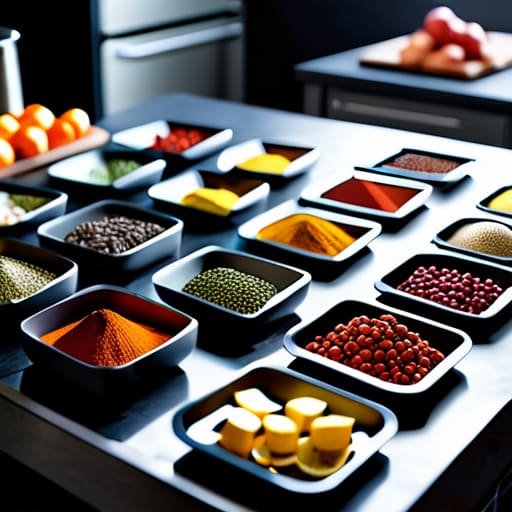
At the end of the day, mastering cloud storage is a lot like prepping your mise en place before a big dinner service. We’ve looked at how cloud computing acts as your fundamental recipe, and we’ve weighed the pros and cons of using local versus cloud-based ingredients to keep your data fresh and accessible. Whether you choose to keep your most sensitive “secret sauces” on a local drive or move your entire digital kitchen to the cloud for maximum scalability, the goal is the same: efficiency and organization. By choosing the right tools, you’re not just saving files; you’re optimizing your digital overhead so you can focus on the big picture instead of hunting for lost documents.
As you move forward, I want you to view your digital organization as a long-term investment in your most valuable asset—your time. Just as I learned on Wall Street that small, consistent contributions lead to massive compound interest, managing your digital files with intention will pay dividends in your productivity and peace of mind. Don’t let a cluttered digital pantry hold your career back. Take that first step, set up your folders, and start building your digital wealth today. You’ve got the ingredients; now it’s time to cook up something incredible!
Frequently Asked Questions
If I'm moving all my "ingredients" to the cloud, how do I make sure my digital pantry stays secure from hackers?
Think of your digital security like food safety in a professional kitchen—you wouldn’t leave the fridge door wide open, right? To protect your cloud pantry, start with strong, unique passwords (your secret recipe) and always enable Two-Factor Authentication. It’s like having a double-lock on the walk-in freezer. Finally, regularly audit your “inventory” by checking who has access permissions. A little preventative maintenance ensures no one sneaks in to steal your precious ingredients!
Is it actually cost-effective to pay for a monthly subscription, or am I better off just buying a physical hard drive?
Think of this like choosing between a high-end subscription meal kit or stocking your own pantry. A physical hard drive is a one-time grocery run—great for a bulk discount, but if you lose it, you’ve lost the whole meal. A monthly subscription is like a sous-chef service; you pay a little extra every month, but you get security, automatic backups, and easy access anywhere. For long-term peace of mind, I say invest in the subscription.
How do I organize my files in the cloud so I'm not staring at a messy kitchen counter every time I need to find something?
Think of your cloud storage like a professional kitchen: if you just toss every spice and utensil into one giant bin, you’ll never finish service on time. Start by creating high-level “stations”—folders for Finance, Career, and Personal. Within those, use sub-folders for specific “dishes,” like “2024 Tax Receipts” or “Recipe Experiments.” Most importantly, name your files consistently. A file named “Final_v2_REALLY_FINAL” is like a mystery container in the fridge—it’s better to label it clearly!